How do I setup email to SMS text notifications?
To turn on the option to receive text message notifications via SMS email to text:
- Go to My Profile from your dashboard
- Turn the toggle on next to "Email to SMS"
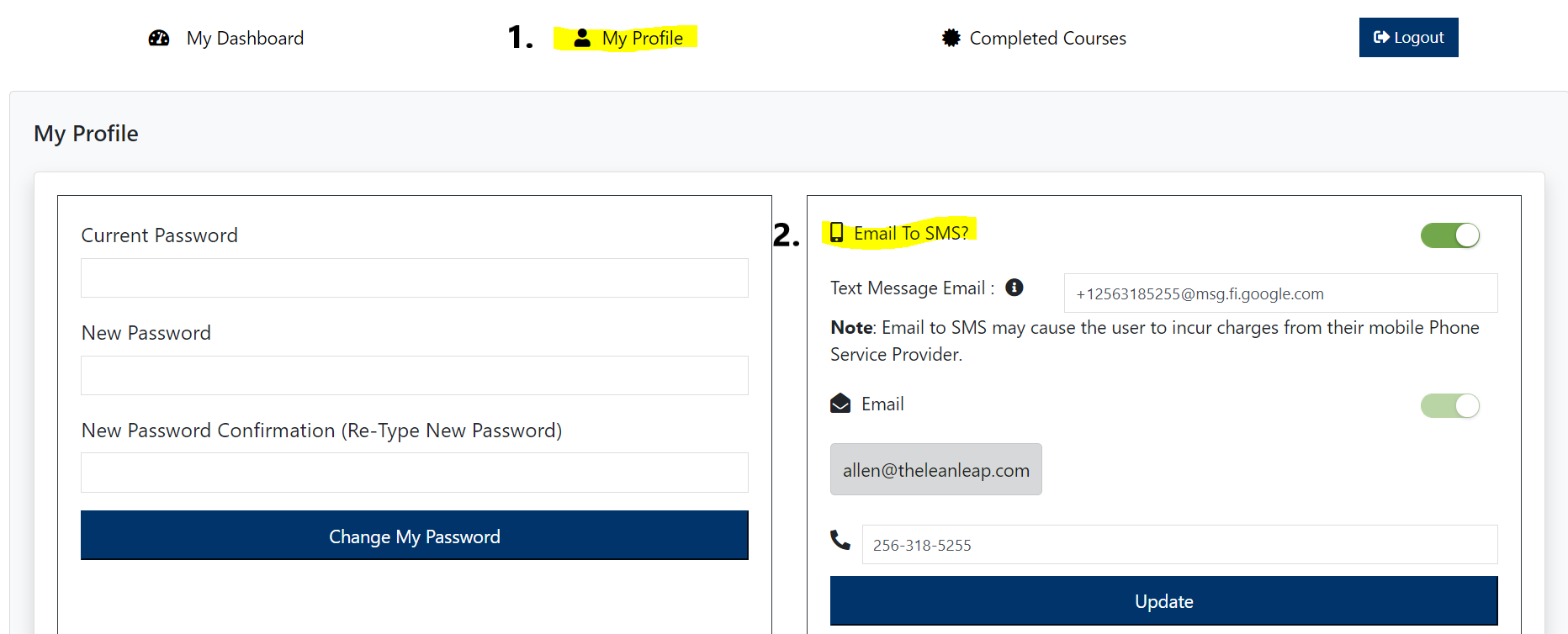
To find your Text Message Email go to SMSemailgateway.com
Search for your provider and country to find the associated SMS address. Below is a list of the most popular US Service providers. A Verizon Wireless example would be: 2561234567@vtext.com
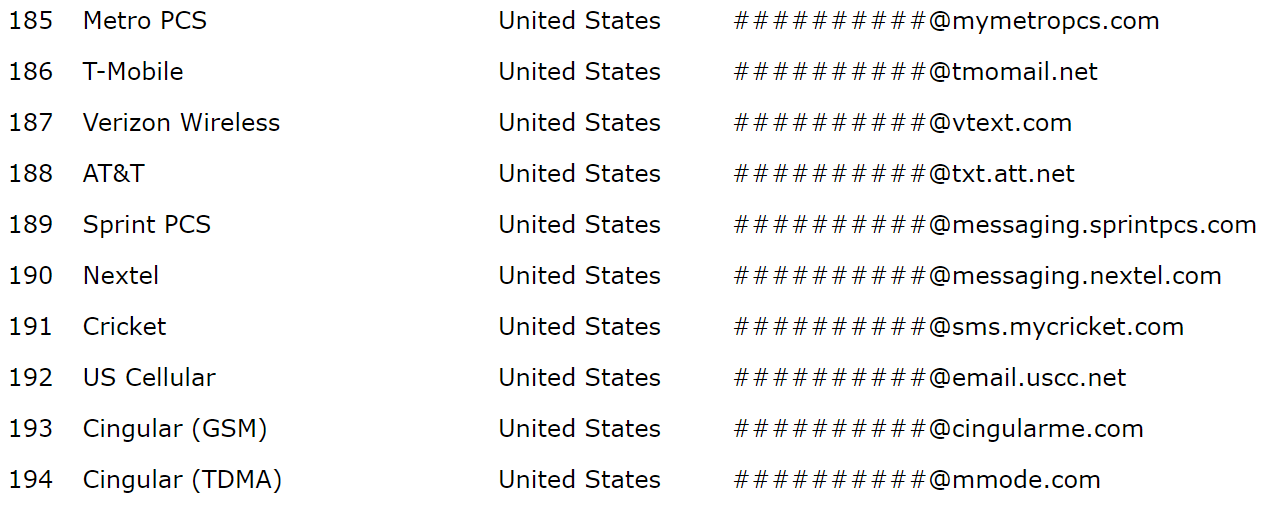
If you can't find your service provider in smsemailgateway.com, then a quick Google search will provide you with the answer. We suggest googling, "Service Provider Name SMS email"
Related Articles
How do I add/edit my phone number and/or email address on my profile?
Sign into your account and click on "My Profile" at the top of the screen. Update your phone number and/or email to SMS address and click on UPDATE.Student Access
Student Access Students can access the Pathways K12 system by navigating to https://pathways-k12.com/ . Select Create an Account. Select the Student tab. Enter your phone number. Enter your email address. Select the district where you are enrolled. ...