How do I add Institute courses for a term?
This article assumes your courses have already been imported for the institute you are wishing to add courses to for a term.
Go to Set Terms on the left sidebar and select the edit button in the Action Column of the term you are wishing to add courses to. At the top of Edit Terms screen provides all term details regarding important dates.
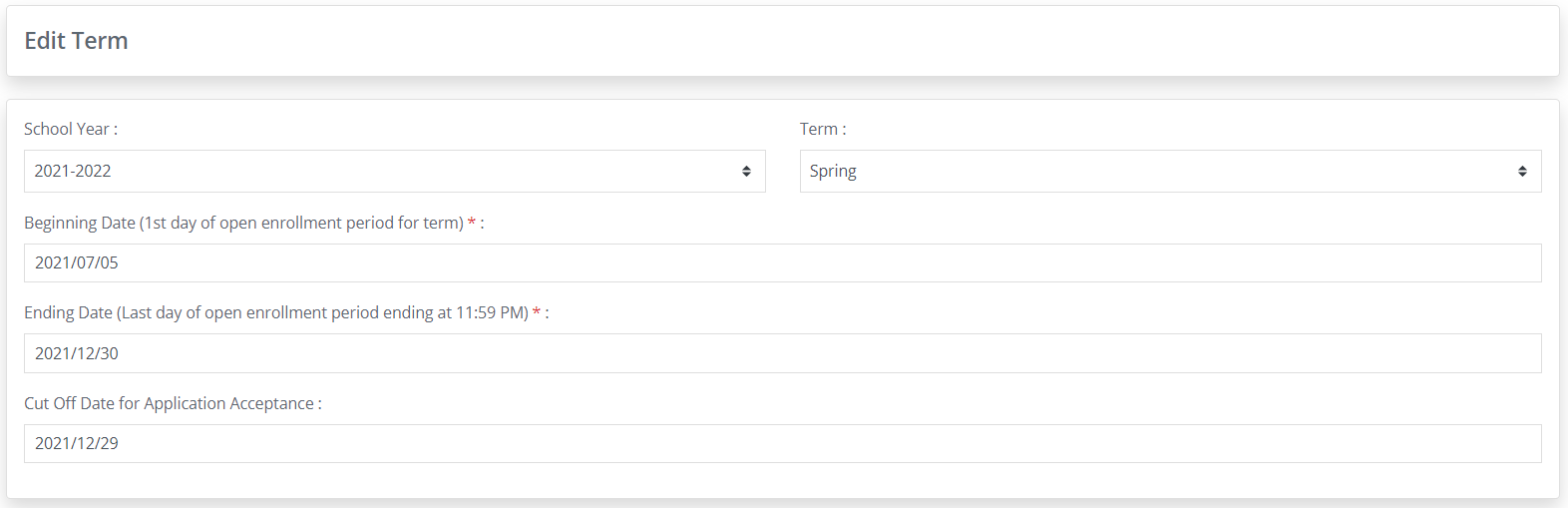
Below that is where you will set up the details concerning Available Programs, Available Institutes and Available Courses. Select the tab for Available Courses and select the Institute tab you wish you select courses for.
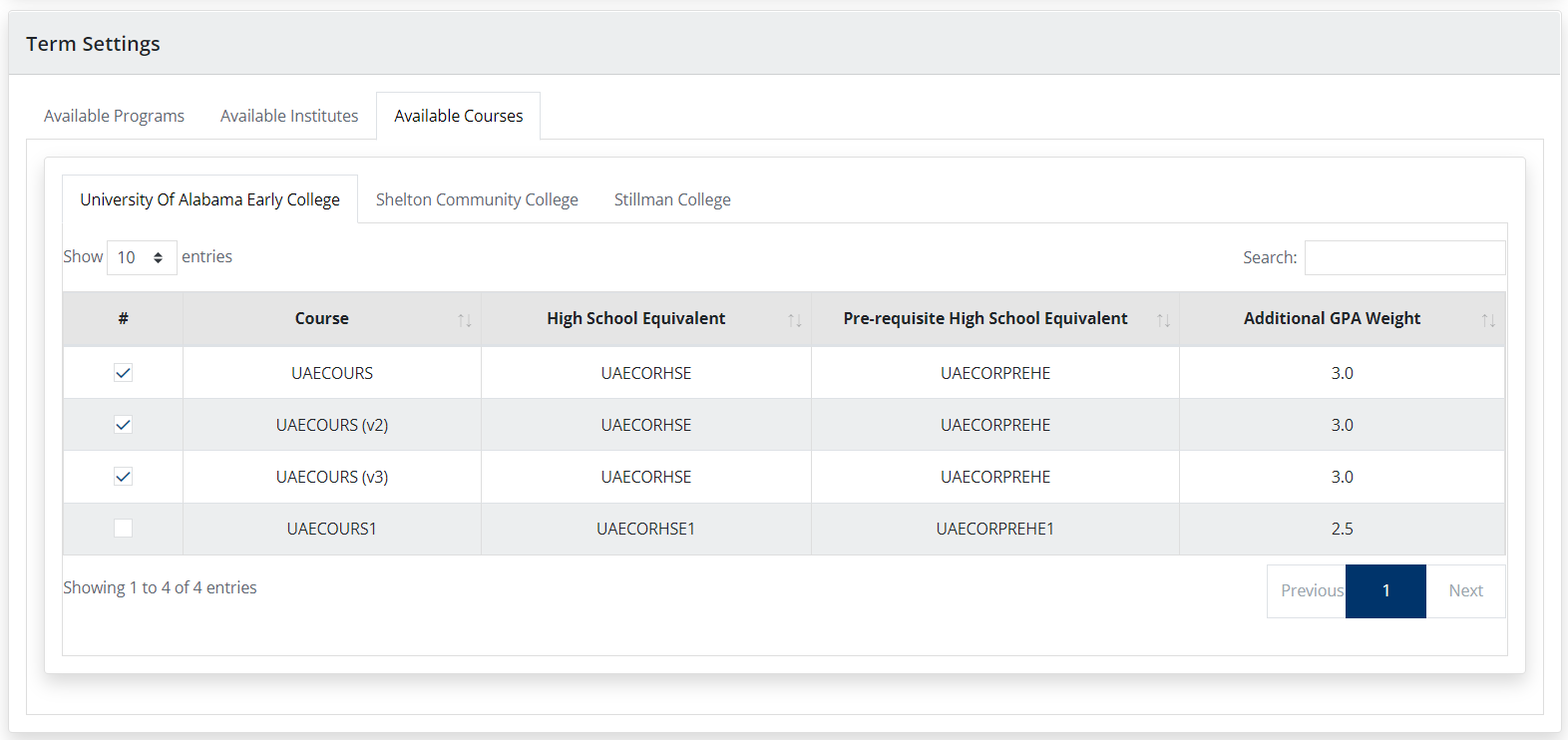
All of the courses that you have imported in Configuration - Course Master with be displayed.
Go through and select the courses that you wish to be available for that institute and for the term you have selected.
If you can't find a specific course to include for that term, you can go back to Configuration - Course Master and import or manually add the missing course.
Related Articles
How do I add/edit my phone number and/or email address on my profile?
Sign into your account and click on "My Profile" at the top of the screen. Update your phone number and/or email to SMS address and click on UPDATE.Student Access
Student Access Students can access the Pathways K12 system by navigating to https://pathways-k12.com/ . Select Create an Account. Select the Student tab. Enter your phone number. Enter your email address. Select the district where you are enrolled. ...How do I apply for multiple children?
When you first register for a Dual Enrollment profile, you will be asked to add your student's state ID number and their birthdate. This will begin the submission process for your first student. At the end of the submission process you will be asked ...