How do I know if my submission has been accepted?
Sign into Dual Enrollment. If you have multiple children, the click on the child's tab you are wanting to check the submission status of.
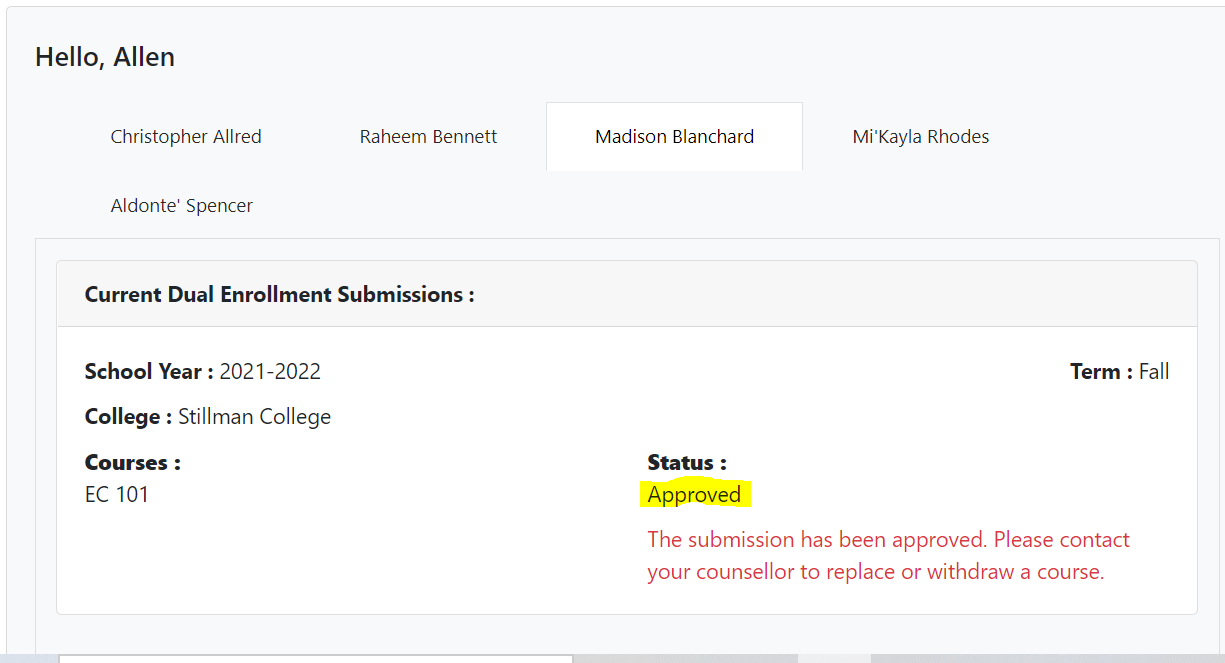
The Status will show Approved if your submission has been accepted. If you need to edit your submission, contact your school counselor.
If not, then the status will show either Under Review or Not Approved.
Related Articles
Student Access
Student Access Students can access the Pathways K12 system by navigating to https://pathways-k12.com/ . Select Create an Account. Select the Student tab. Enter your phone number. Enter your email address. Select the district where you are enrolled. ...How do I apply for multiple children?
When you first register for a Dual Enrollment profile, you will be asked to add your student's state ID number and their birthdate. This will begin the submission process for your first student. At the end of the submission process you will be asked ...How to upload a student's Transcript and/or SAT/ACT scores?
Navigate to Process Submission from the left hand panel. The student is likely either in the Missing Information or Awaiting Review tabs (highlighted below). Navigate to those tabs and search for the student's last name in the search bar in the top ...